How to Invoice as a Freelancer (Step by Step + Free Template)
By FreeBillKit Team · June 18, 2026 · Updated July 30, 2026
A freelance invoice needs your details, the client’s details, a unique number, the work itemised with rates, the total, your payment terms and how to pay you. Fill those in, send a PDF, and follow up if it runs late. For new clients, ask for a deposit and keep terms short.
Invoicing is the part of freelancing nobody teaches you, and the part that decides whether you actually get paid. The good news: a clean freelance invoice is simple, and a few small habits, such as deposits, real due dates and a tidy numbering system, quietly remove most payment problems before they start.
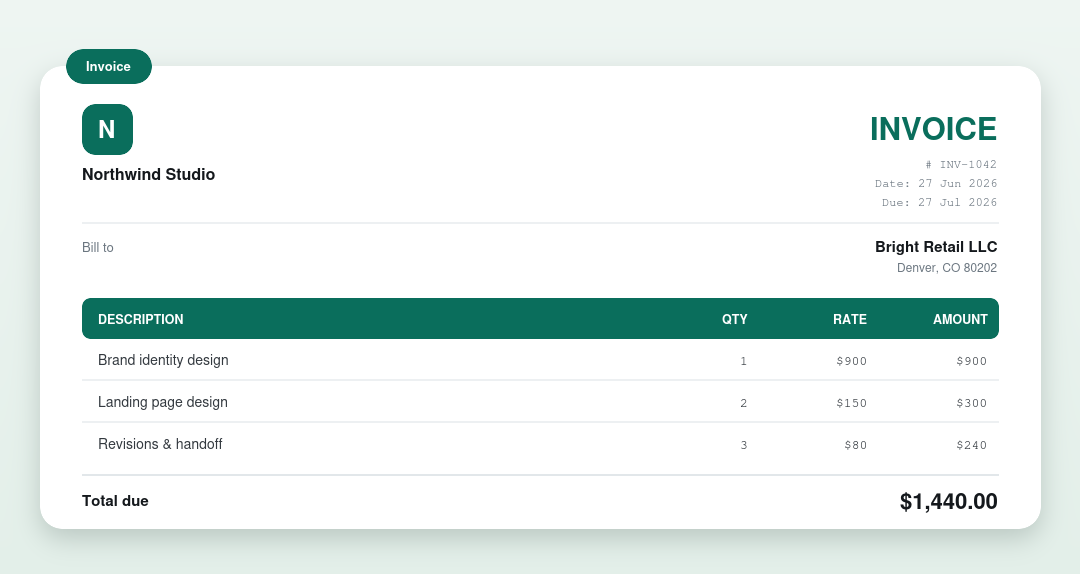
What a freelance invoice must include
- Your name or business name, address and contact details.
- The client’s name and address.
- A unique invoice number and the issue date.
- An itemised list of the work, with hours or quantities and rates.
- Subtotal, any tax, and the total due.
- Payment terms and a due date.
- How to pay you: bank details, PayPal, or a payment link.
That’s the whole anatomy. Miss the payment details and you’d be surprised how many clients quietly wait for you to chase before they pay.
Hourly, fixed fee, or milestones?
Three ways to bill, each suited to a different kind of job.
| Hourly | Fixed fee | Milestones | |
|---|---|---|---|
| Best for | Open-ended, shifting scope | Well-defined deliverables | Long projects |
| Main risk | Client questions the hours | Scope creep eats your margin | Lower: cash is spread out |
| How you bill | Track and list your time | One agreed price | Deposit, then a slice per stage |
Payment terms that actually get you paid
For a brand-new client, lean toward a deposit upfront and short terms. There’s nothing rude about asking for 30% or 50% before you start. It filters out the clients who were never going to pay. Once trust is built, Net 15 or Net 30 is reasonable. Always put a real due date, not just “Net 30,” because a date gets paid faster (what Net 30 means).
A numbering system you won’t outgrow
Keep it boring and sequential: INV-0001, INV-0002, and so on. Some freelancers prefix the year or client, like 2026-ACME-004. Whatever you pick, never reuse a number and never skip around. Your future self doing taxes will thank you.
Chasing a late invoice without the awkwardness
Late payments are normal, and a polite nudge isn’t confrontational. A short, friendly reminder a few days after the due date clears most of them: the invoice number, the amount, the date it was due, and how to pay. If it drags on, here’s how to collect an unpaid invoice without burning the relationship.
Keep every copy for tax
Each numbered invoice is a line in your income for the year. Save a PDF of every one you send, somewhere you’ll actually find it at tax time. If you send quotes first, keeping the whole chain, quote to invoice to payment, makes your records airtight.
Make your freelance invoice free
Use the invoice generator to build one in a minute, or start from a free invoice template. Pricing a job first? Send a quote or estimate. New to it? See how to write an invoice.
Frequently asked questions
Do freelancers need to send invoices?
Yes. An invoice is your formal request for payment and your income record for tax, even if the client agreed the price by email.
Should I ask for a deposit?
For new clients, yes: 30% to 50% upfront filters out non-payers and protects your time. Drop it once a client has a track record.
What payment terms should a freelancer use?
Short terms (a deposit plus Net 7 to 15) for new clients, Net 30 once trust is built. Always add a real due date.
How do I handle a late payment?
Send a short, factual reminder a few days after the due date, then escalate politely if it drags. See how to collect an unpaid invoice.
Written by the FreeBillKit team. Last reviewed July 2026.