Free Invoice Template
An invoice with no due date, no number or no payment details gets paid late, or not at all. Download the free template in Word, Excel or PDF with every field already laid out, fill it in, save as PDF and send. Prefer not to download? Make one online free in your browser.
No signup. Fill it in and download the PDF in under a minute.
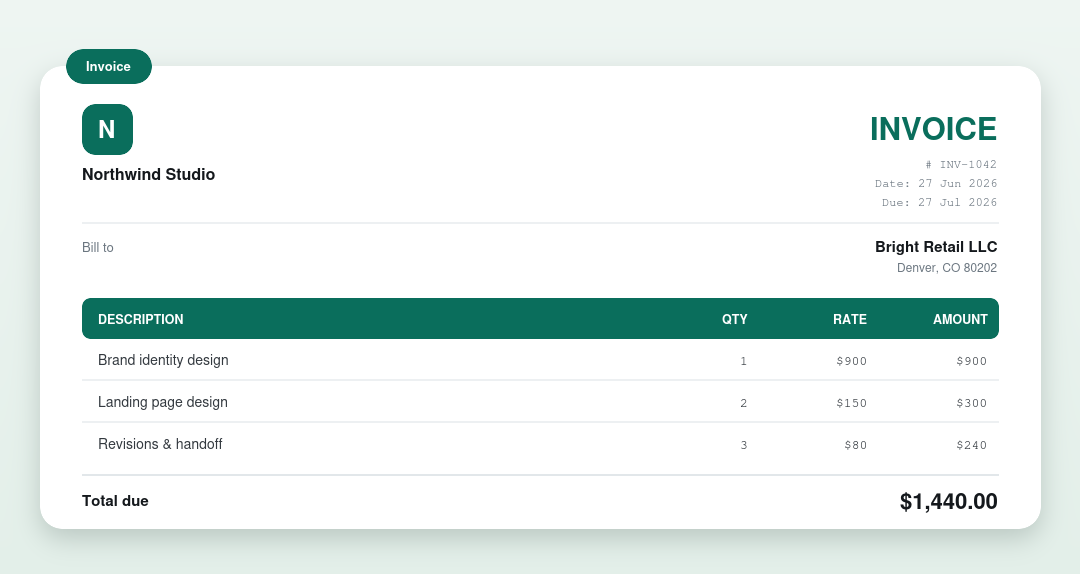
Choose your format
- Invoice template for Word: type freely in Microsoft Word.
- Invoice template for Excel: the totals add up automatically.
- Invoice template PDF: print it and fill it in by hand.
- Invoice template for Google Docs: make a copy and edit online.
- Blank invoice template: a clean, minimal starting point.
What’s in the template
- Your business details and logo: who the invoice is from.
- Bill to: the client’s name and address.
- A unique invoice number, plus the issue and due dates.
- Line items: a description, quantity and rate for each product or service.
- Subtotal, tax and total: the amount owed.
- Payment terms and notes: how and when to pay.
How to use it
- Download the format you prefer above.
- Add your business name and the client’s details.
- List each item with a quantity and rate. In the Excel version the totals calculate for you.
- Save as PDF and send it to your client.
Or make it online, no download
Our free invoice generator fills everything in and downloads a clean PDF right in your browser. No signup, no watermark.
Not sure what the finished thing looks like? See a filled-in invoice example.
More free templates
What’s on an invoice
| Part | What it shows |
|---|---|
| Business & client | Who the invoice is from and who’s billed |
| Invoice number & dates | A unique number, the issue date and due date |
| Line items | Each product or service with a quantity and rate |
| Totals | Subtotal, any tax or discount, and the total due |
| Payment details | Accepted methods and where to pay |
Invoicing by country
- UK invoice requirements (VAT)
- Australian tax invoice (ABN & GST)
- Canadian invoice (GST/HST)
- Indian GST invoice
Want to see finished documents? Browse all invoice & document examples.
Last updated October 2026. General guidance, not tax or legal advice. Invoice rules vary by country.
How do you number invoices?
Give every invoice a unique number and never reuse one. A simple format is INV, the year and a running count, as in INV-2026-014. Some countries, including the UK, require invoice numbers to be unique and sequential for tax purposes, and even where they do not, a clean sequence makes it easy to find an invoice when a client asks about it. If you bill several clients, keep one sequence for your whole business rather than one per client.
Which payment terms should you use?
Payment terms tell the client when the money is due. Pick one, write it on the invoice and stick to it.
| Term | What it means |
|---|---|
| Due on receipt | Payment is expected as soon as the client gets the invoice |
| Net 7, Net 15 | Payment is due 7 or 15 days after the invoice date |
| Net 30 | Payment is due 30 days after the invoice date. See what Net 30 means |
| Net 60 | Payment is due 60 days after the invoice date, common with large companies |
| 2/10 Net 30 | The client takes 2% off if they pay within 10 days, otherwise the full amount is due in 30 |
| Deposit upfront | A share of the total, often 25% to 50%, is paid before work starts and the rest on completion |
What does a filled-in invoice look like?
This freelance designer example shows every part in place. The business, client and amounts are made up.
| Detail | Example |
|---|---|
| From | Mira Chen Design, 9 Park Lane, Leeds LS1 4AB, [email protected] |
| Bill to | Oakfield Bakery Ltd, 3 Mill Road, York YO1 6DT |
| Invoice number | INV-2026-014 |
| Issue date and due date | 1 October 2026 and 31 October 2026 (Net 30) |
| Description | Qty | Rate | Amount |
|---|---|---|---|
| Logo design, three concepts and one final | 1 | $600.00 | $600.00 |
| Brand guidelines document, 12 pages | 1 | $400.00 | $400.00 |
| Extra revisions requested by client (hours) | 3 | $50.00 | $150.00 |
| Subtotal | $1,150.00 | ||
| Sales tax (8%) | $92.00 | ||
| Total due | $1,242.00 |
Payment details: bank transfer to the account shown on the invoice, quoting INV-2026-014. Notes: late balances may incur a 1.5% monthly charge as agreed in the project contract.
Which format should you choose?
| Format | Best for | Watch out for |
|---|---|---|
| Word | Typing freely and adding your own layout | Totals do not calculate on their own |
| Excel | Invoices with many lines, because totals add up automatically | Formulas can break if you edit the wrong cell |
| Google Docs | Editing online and sharing a link | Always send a PDF so the client cannot change it |
| Printing and filling in by hand, or sending a final copy | Cannot be edited after you save it |
Which invoice mistakes delay payment?
- No due date, so the client treats the invoice as optional.
- Missing a PO number or reference the client’s accounts team requires.
- Vague descriptions such as consulting, which invite questions.
- The wrong legal name or address for the client.
- No payment instructions, so the client has to email you to ask how to pay.
- Sending it to your day-to-day contact instead of the person who approves payments.
- No plan for following up if the due date passes.
How can you get paid faster?
- Send the invoice the day the work is done, not at month end.
- Put the due date in plain sight and use a short term such as Net 15 if your clients accept it.
- Make paying easy by listing every method you accept.
- Ask for a deposit on larger jobs.
- Send a friendly reminder a few days before the due date, another on the day, and a firmer one a week later.
- State any late fee in your contract or terms before the work starts, not after.
If a client still does not pay, read how to collect an unpaid invoice calmly. New to invoicing? Start with how to write an invoice or how to invoice as a freelancer.
Frequently asked questions
Is there an invoice template for modeling or freelance work?
Yes, the template above is generic by design, so it covers modeling, photography, consulting or any other freelance service, just describe the work on each line.
What is a billing invoice?
A billing invoice is another name for an ordinary invoice, the document a business sends to bill a client for goods or services. Payment invoice and invoice email are the same thing described differently.
Is there an hourly invoice template?
Yes. Use the template above and set the quantity column to hours and the rate column to your hourly rate, and the line totals calculate themselves. Name the task on each line so a client can see where the hours went.
What is an itemized invoice?
An itemized invoice breaks the total into one line per product or service, each with its quantity, unit price and line total. Clients query a single line far more readily than they query a lump sum, so itemizing tends to get invoices approved faster.
Is this invoice template really free?
Yes: download the Word, Excel or PDF template and use it for as many invoices as you like, with no signup or payment.
Which format should I use?
Use Excel if you want the totals to calculate for you, Word or Google Docs if you prefer to type freely, and PDF if you just want to print and fill it in by hand.
How do I turn the template into a PDF to send?
In Word or Excel, choose File then Save As (or Export) and pick PDF. Or skip the step and use our free invoice generator, which outputs a PDF directly.
Can I add my logo?
Yes. In the Word or Excel template, replace the business-name block with your logo image. The generator also lets you upload a logo.
What should be on an invoice?
Your business name and contact details, the client name and address, a unique invoice number, the issue date and due date, a description of each item with quantity and rate, the subtotal, any tax and the total, plus payment details and terms.
What payment terms should I use on an invoice?
Net 15 or Net 30 are the most common. Use due on receipt for small jobs, and ask for a deposit on larger projects. Whatever you choose, write the exact due date on the invoice.
Can I charge a late fee on an invoice?
Yes, if you agreed it in writing before the work started, for example in a contract or your terms. Many places also limit how much you can charge, so check the rules where you operate.
What is the difference between an invoice and a receipt?
An invoice asks a client to pay. A receipt confirms the payment has been made. See invoice vs receipt for examples of each.
Weighing this up against other tools? See Invoice Generator alternatives compared.