Freelance Invoice Template: Free Download + Generator | No Signup
Freelance Invoice Template
Freelancers live on invoices. Whether you bill by the hour or by the project, a clear invoice is what turns finished work into paid work. Clients pay faster when the invoice shows exactly what was done, what it cost, and when payment is due.
This page gives you a free freelance invoice template built for self-employed work, plus a generator that creates one in about a minute. You will find what every freelance invoice must include, how hourly and project billing differ on the invoice, and answers to the questions freelancers ask most.
Everything here is free. There is no signup and no watermark.
Free freelance invoice template: download and generator
Enter your business details, the client, and your line items. The generator formats the invoice and gives you a clean PDF to download. Add your hourly rate or project fee, payment terms, and a late fee note where the template prompts you. It works on phones, tablets, and desktops.
What a freelance invoice template must include
Every freelance invoice needs these fields. Run each invoice against this list before sending it.
- The word “invoice” and a unique invoice number.
- Your name or business name, address, and contact details.
- The client name and billing address.
- Invoice date and payment due date.
- Line items: description of work, hours or deliverables, rate, and amount.
- Subtotal, any tax, and the total due.
- Your payment terms: when and how to pay.
- Accepted payment methods: bank transfer, PayPal, Wise, or whichever you use.
The IRS treats freelancers as self-employed, which means you handle your own tax reporting. See the IRS self-employment guidance. Keep a copy of every invoice for your records.
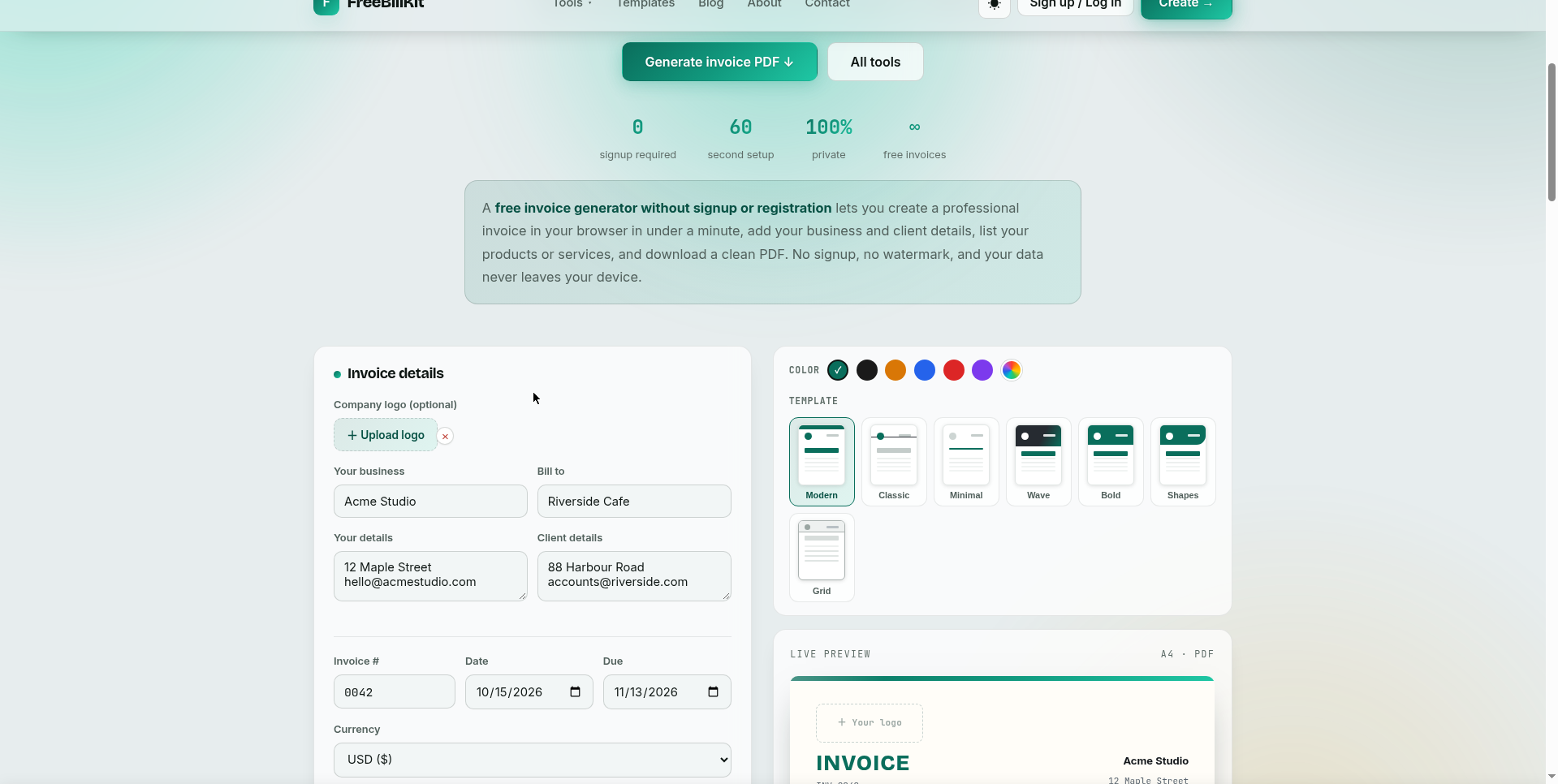
Freelance invoice template for hourly vs project billing
How you bill changes what the invoice shows:
| Hourly billing | Project billing | |
|---|---|---|
| Line items | Hours worked × hourly rate | Deliverables or milestones |
| Detail level | Date and hours per task | Description per deliverable |
| Common fields | Total hours, rate | Project name, milestones |
| Best for | Ongoing work, consulting | Fixed-scope projects |
| Payment terms | Often weekly or biweekly | Often 50% upfront, 50% on delivery |
Hourly invoices should show the hours clearly so the client can verify them. Project invoices should tie each line to a deliverable the client already approved.
Freelance invoice template for writers, designers, and developers
Different freelance trades emphasize different details:
Writers. Show the piece or word count: article title, word count, rate per word or per piece. Editors and content agencies expect this breakdown.
Designers. List deliverables: logo concepts, revision rounds, file formats delivered. Note usage rights if your contract covers them.
Developers. Break down by milestone or sprint: feature built, hours, rate. Link to the repo or staging URL in the description if the client expects it.
DJs and performers. Show the event date, venue, hours played, and any equipment or travel fees separately.
One template covers all of these. Change the line-item descriptions to match your trade and keep the rest of the layout the same.
How to invoice as a freelancer: payment terms that work
State your terms on every invoice. Net 15 is common for freelancers; Net 30 is standard for larger clients. Put the exact due date on the invoice, not just “Net 15”.
Add a late fee policy. A line like “A 1.5% monthly late fee applies after the due date” is standard and legal in most places. Check your local rules before enforcing it.
Offer easy payment. List two or three payment methods you actually accept. Freelancers who make payment one click get paid faster than those who only accept checks.
Send the invoice the day the work is done. Freelancers who invoice immediately get paid sooner than those who batch invoices at month end.
Freelance invoice template mistakes that cause problems
No due date. An invoice without a due date sits at the bottom of the pile. Always show the exact date payment is due.
Vague line items. “Services rendered” tells the client nothing. Describe the actual work: what you delivered and when.
Missing invoice numbers. Number every invoice sequentially. It keeps your records clean and looks professional to clients.
Forgetting tax details. If you charge sales tax or VAT, show it as a separate line. If you do not, leave tax lines off entirely.
No payment methods. Tell the client exactly how to pay you. An invoice that makes payment hard gets paid late.
Freelance invoice template FAQs
How do I invoice as a freelancer?
Create an invoice with your details, the client details, a description of the work, hours or deliverables, rate, total, and payment terms. Number it, date it, and send it as a PDF. The free generator above builds one in about a minute.
How do I write an invoice for freelance work?
Start with your name and contact details, add the client name, then list what you did: hours worked or deliverables completed, your rate, and the total. Add the invoice date, a due date, and how the client should pay you.
How do I create an invoice for freelance work?
Use the free generator on this page: enter your details once, add line items for the work, set your payment terms, and download the PDF. It takes about a minute and there is no signup.
Should I charge hourly or per project?
Hourly suits ongoing or undefined work; per-project suits fixed-scope jobs. Many freelancers use both: hourly for consulting, fixed fees for defined deliverables. The invoice format works for either.
What payment terms should freelancers use?
Net 15 is the freelance standard; Net 30 for larger corporate clients. Always show the exact due date. Add a late fee clause to encourage on-time payment.
Do I need to add tax to my freelance invoice?
It depends on where you live and whether you are registered for sales tax or VAT. If you must charge tax, show it as a separate line. If not, leave tax lines off. Check your local tax rules.
How should I number my freelance invoices?
Use one sequential series: INV-001, INV-002, and so on. Never reuse a number. Sequential numbering keeps your records clean for tax time.
Can I send freelance invoices by email?
Yes. A PDF sent by email is standard. Keep a copy of every invoice you send for your tax records.
What if a client pays late?
Send a polite reminder the day after the due date, then follow up weekly. Reference your late fee policy if you stated one. For chronic late payers, require partial payment upfront on future work.
Is this freelance invoice template really free?
Yes. Generate as many invoices as you need with the free online tool. No signup, no payment, no watermark, and no download limits.
Related templates
- Invoice Generator: create a freelance invoice online in about a minute
- Invoice Template: the general template with Word, Excel, and PDF downloads
- Quote Template: quote the project before you invoice it
- Receipt Template: receipt the payment after the client pays