How to Send an Invoice: Email + Free Generator
Knowing how to send an invoice properly is what turns finished work into money in your account. The invoice itself matters, but so does the email around it: the subject line, the PDF attachment, and the follow-up when payment is late.
This guide walks through the full process: preparing the invoice, writing the email, choosing the right delivery method, and following up professionally. It ends with a free generator that builds and exports your invoice as a PDF in about a minute.
Everything here about how to send an invoice is free. There is no signup and no watermark.
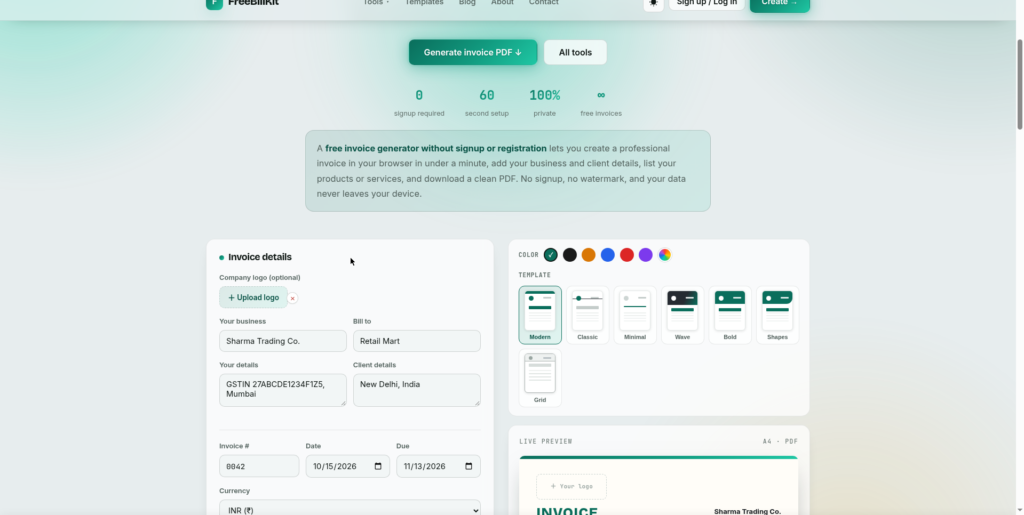
The fastest way to send an invoice: free generator
Build the invoice with the free generator, download the PDF, and attach it to your email. The whole process takes about two minutes: one to create, one to send. No signup, no watermark.
How to send an invoice: the 7-step process
- Finalize the invoice details. Confirm the amount, due date, and payment terms before you send anything.
- Export as PDF. PDFs cannot be edited by the recipient and print consistently everywhere.
- Name the file clearly. Use a pattern like YourBusiness_Invoice-1048_2026-10-16.pdf so both sides can find it later.
- Write a short email. State the invoice number, amount, and due date in the body. Keep it professional and brief.
- Attach the PDF. Never send an invoice as editable Word or Excel. Never paste it into the email body alone.
- Send from your business address. Clients trust and open mail from a known business address, not a personal one.
- Save the sent copy. Keep the exact PDF and the email thread for your records.
How to send an invoice by email
Email is how most invoices get sent. A good invoice email has four parts:
Subject line. Include the invoice number and your business name: “Invoice 1048 from Sharma Trading, due 30 Oct”. Vague subjects like “Invoice attached” get buried.
Body. Three sentences are enough: what the invoice covers, the amount and due date, and how to pay. Thank them for the business.
Attachment. The PDF, with the clear filename from the steps above.
Signature. Your name, business, and phone number so questions reach you fast.
Example body:
Hi Priya,

Please find attached invoice 1048 for the October website maintenance, totaling Rs 12,500, due on 30 October. You can pay by bank transfer to the account listed on the invoice.

Thank you for your business.

Best,
Rahul
The US Small Business Administration covers invoicing basics for small businesses. (See the SBA invoicing guide for more background.)
How to send an invoice: other delivery methods
Client portals. Many larger clients require invoices through their vendor portal. Follow their format exactly; a perfect email invoice sent to the wrong portal is a late payment.
Invoicing software. If you bill the same clients monthly, software with recurring invoices saves hours. Free tools work fine for low volume.
WhatsApp or messaging. Common for small businesses in many countries. Send the PDF, not a photo of a screen. Keep the same professional message.
Paper mail. Still used for some government and enterprise clients. Print the PDF, keep proof of posting, and allow extra days.
Email remains the default way to send an invoice. Use portals when the client requires them.
How to send an invoice and get paid faster
Send it the same day the work is done. When you send an invoice within 24 hours, it gets paid measurably faster than one sent at month end.
Make payment easy. Put your bank details, UPI ID, or payment link directly on the invoice. Every extra step the client must take delays payment.
Set clear terms. “Due in 14 days” beats “due soon”. Late fees, stated politely on the invoice, reduce late payments.
Follow up once, politely, a few days after the due date. Then follow up firmly. Silence is the most expensive invoicing mistake.
How to send an invoice: mistakes that delay payment
Sending from a personal email. It looks unprofessional and lands in spam. Use your business address.
No due date. Without one, the client decides when to pay. Always state a date.
Editable formats. Word and Excel invoices get altered, accidentally or not. Always send PDF.
Forgetting the attachment. The most embarrassing and most common mistake. Attach first, write second.
No follow-up. One polite reminder recovers more revenue than any other invoicing habit.
How to send an invoice FAQs
What is the best way to send an invoice?
Email with a PDF attachment from your business address. It is fast, professional, and works for almost every client.
What should I write in an invoice email?
The invoice number, what it covers, the amount, the due date, and how to pay. Three to four sentences is enough.
Should I send an invoice as PDF or Word?
Always PDF. Word and Excel files can be edited and their formatting shifts between computers.
What should the invoice email subject line be?
Include the invoice number and your business name, for example “Invoice 1048 from Sharma Trading, due 30 Oct”.
How do I send an invoice on WhatsApp?
Export the invoice as a PDF and send it with a short professional message. Do not send photos of screens.
When should I send an invoice?
The same day the work is completed. Same-day invoices get paid faster than month-end batches.
How do I follow up on an unpaid invoice?
Send one polite reminder a few days after the due date, then a firmer one. Keep every message professional.
Can I send an invoice without software?
Yes. Create it with the free generator, download the PDF, and send it from your regular email. No software needed.
What if the client says they never got the invoice?
Resend it immediately to a confirmed address and ask for acknowledgment. This is why you save the sent copy.
Is there a free way to send invoices?
Yes. The free generator on this site builds the invoice as a PDF with no signup and no watermark. Your email does the sending.
Related guides
- How to Write an Invoice: create the invoice before you send it
- Invoice Generator: build it free in a minute
- Invoice Template: start from a template
- Quote Template: send quotes before invoicing