Free Invoice Template for Excel
A free Excel invoice template that does the math for you. The amount, subtotal, tax and total update automatically as you type. Download the .xlsx, add your details, and send, no signup, no watermark. It works in Google Sheets too.
⇩ Download the Excel template (.xlsx)
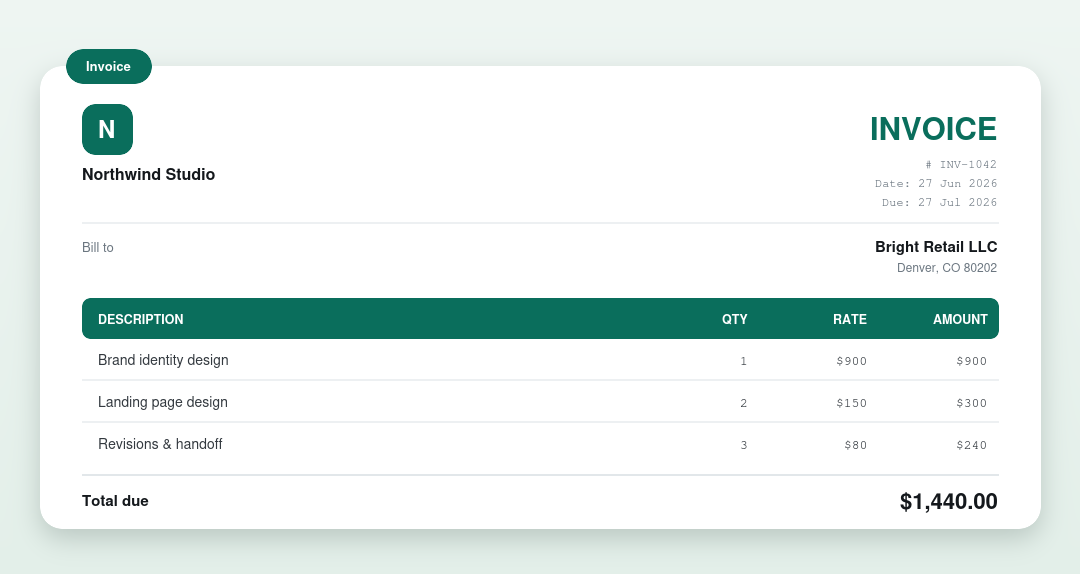
Totals calculate automatically
Each line multiplies quantity × rate for you, the subtotal sums every line, and the tax and total update instantly. Just fill in the blue cells. The black figures are formulas you don’t touch.
How to use it
- Download and open the .xlsx in Excel (or upload to Google Sheets).
- Fill in your business and client details.
- Type each item’s description, quantity and rate: the amount and totals calculate themselves.
- Set the tax percentage if you charge tax.
- Save or export as PDF and send.
Prefer not to use a spreadsheet?
Our free invoice generator does the same math and hands you a finished PDF, no Excel required. Need a plain document instead? Try the Word template.
Other invoice template formats
- Invoice template – Word
- Invoice template – PDF
- Invoice template – Google Docs
- Invoice template – Blank
What’s on an invoice
| Part | What it shows |
|---|---|
| Business & client | Who the invoice is from and who’s billed |
| Invoice number & dates | A unique number, the issue date and due date |
| Line items | Each product or service with a quantity and rate |
| Totals | Subtotal, any tax or discount, and the total due |
| Payment details | Accepted methods and where to pay |
Frequently asked questions
Does the Excel invoice template calculate totals automatically?
Yes. It uses formulas so the line amounts, subtotal, tax and total all update as you type. You never add anything up manually.
Does it work in Google Sheets?
Yes. Upload the .xlsx to Google Drive and open it with Google Sheets; the formulas carry over.
Is it really free?
Yes: free to download and use, no signup and no watermark.