Free Invoice Template for Google Docs
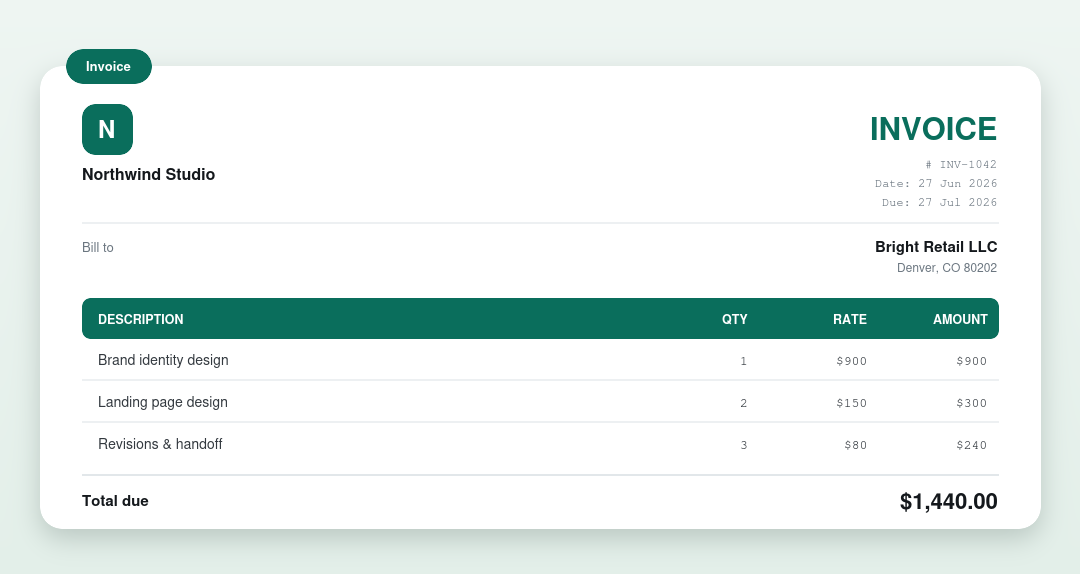
A free invoice template you can open and edit in Google Docs. Download the file, drop it into Google Drive, and open it with Google Docs, then fill in your details and download a PDF. No signup, no watermark.
⇩ Download for Google Docs (.docx)
How to open this template in Google Docs
- Download the .docx file above.
- Go to drive.google.com and click New → File upload.
- Right-click the uploaded file and choose Open with → Google Docs.
- Replace the placeholders with your business and client details, add your items, and fill in the totals.
- Click File → Download → PDF and send it to your client.
Want the totals done for you?
Google Docs won’t add up the numbers. Our free invoice generator calculates everything and downloads a finished PDF, no upload, no Google account needed. For automatic math in a sheet, use the Excel template (it opens in Google Sheets).
Other invoice template formats
What’s on an invoice
| Part | What it shows |
|---|---|
| Business & client | Who the invoice is from and who’s billed |
| Invoice number & dates | A unique number, the issue date and due date |
| Line items | Each product or service with a quantity and rate |
| Totals | Subtotal, any tax or discount, and the total due |
| Payment details | Accepted methods and where to pay |
Frequently asked questions
How do I use this invoice template in Google Docs?
Download the .docx, upload it to Google Drive, then right-click and choose Open with Google Docs. You can now edit it and download a PDF when you’re done.
Is it free to use?
Yes: free, no signup and no watermark. Google Docs itself is free with any Google account.
Does it calculate the totals?
No. Google Docs doesn’t calculate. Type the totals yourself, use the Excel/Sheets template for automatic math, or use our invoice generator.