FreeBillKit
Free Receipt Template for Word
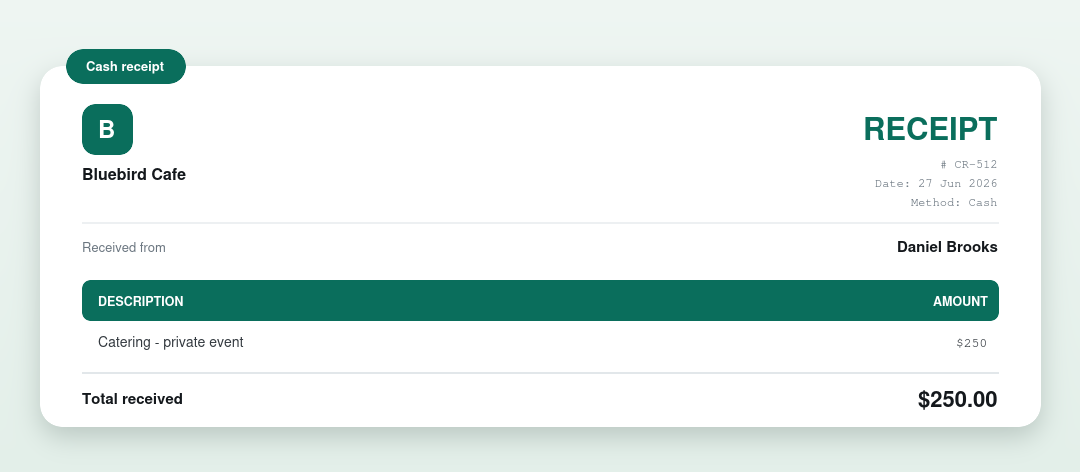
A free receipt template for Microsoft Word. Download the .docx, fill in the payer, amount and date, and print or send. No signup, no watermark, and it opens in Google Docs and LibreOffice too.
⇩ Download the Word receipt (.docx)
How to use it
- Open the .docx in Word (or Google Docs / LibreOffice).
- Add your business name, the payer, the amount and what it was for.
- Set the date and payment method.
- Save or export as PDF and hand a copy to the payer.
Prefer it done for you?
Our free receipt generator builds a finished PDF receipt instantly, no Word needed. Want a plain PDF instead? See the PDF receipt template.
More receipt templates
What’s on a receipt
| Part | What it shows |
|---|---|
| Who issued & who paid | The business and the payer |
| Amount received | And what the payment was for |
| Date & method | When it was paid, and how |
| Receipt number | For your records |
| Confirmation | Marked received, with a signature line |
Frequently asked questions
Is the Word receipt template free?
Yes. Free, no signup, no watermark. Use it as many times as you like.
Can I open it in Google Docs?
Yes. Upload the .docx to Google Drive and open it with Google Docs.
Does it calculate the total?
No. Word doesn’t calculate. Type the total, or use our receipt generator which totals it for you.