FreeBillKit
Free Purchase Order Template for Word
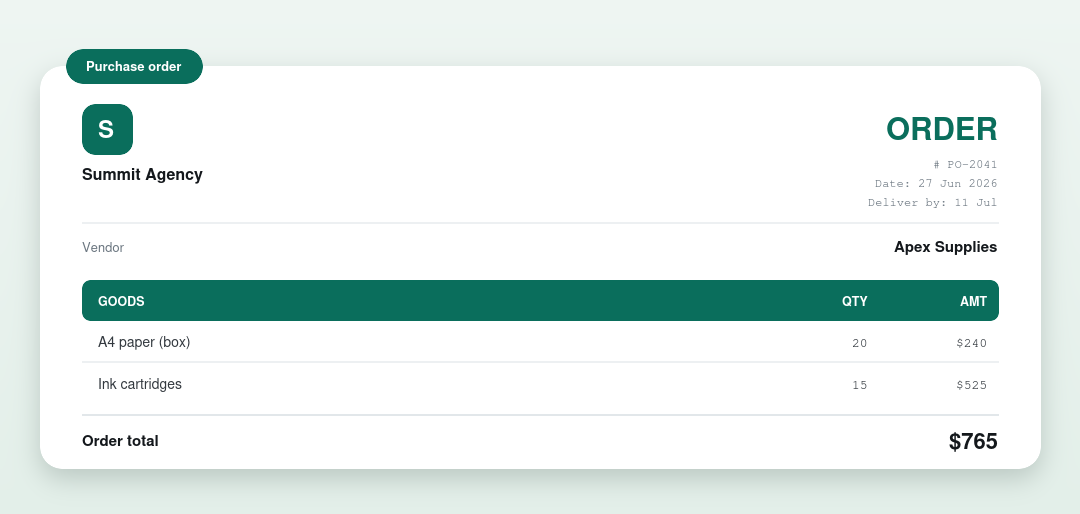
A free purchase order template for Microsoft Word. Download the .docx, add the vendor, your items and a delivery date, and send. No signup, no watermark, and it opens in Google Docs too.
⇩ Download the Word PO (.docx)
How to use it
- Open the .docx in Word (or Google Docs).
- Add your business (buyer) and the vendor.
- List each item with quantity and unit price, and set a delivery date.
- Add your PO number and payment terms, then send it to the vendor.
Want the totals done for you?
Use the Excel PO template for automatic totals, or the free generator for a finished PDF.
Related templates
- Purchase order template
- Purchase order – Excel
- Commercial invoice template
- Credit note template
- Invoice template · Receipt template · Quote template
What’s on a purchase order
| Part | What it shows |
|---|---|
| Buyer & vendor | Who’s ordering and who supplies |
| PO number & delivery date | A reference and when it’s needed |
| Items | Quantities and unit prices |
| Order total | The amount authorised |
| Payment terms | For example, Net 30 |
Frequently asked questions
Is the Word PO template free?
Yes. Free, no signup, no watermark.
Can I open it in Google Docs?
Yes. Upload the .docx to Google Drive and open it with Google Docs.
Does Word total the order?
No. Use the Excel version or our generator for automatic totals.